
Restore & Retouch· Restore
Colorize Photo
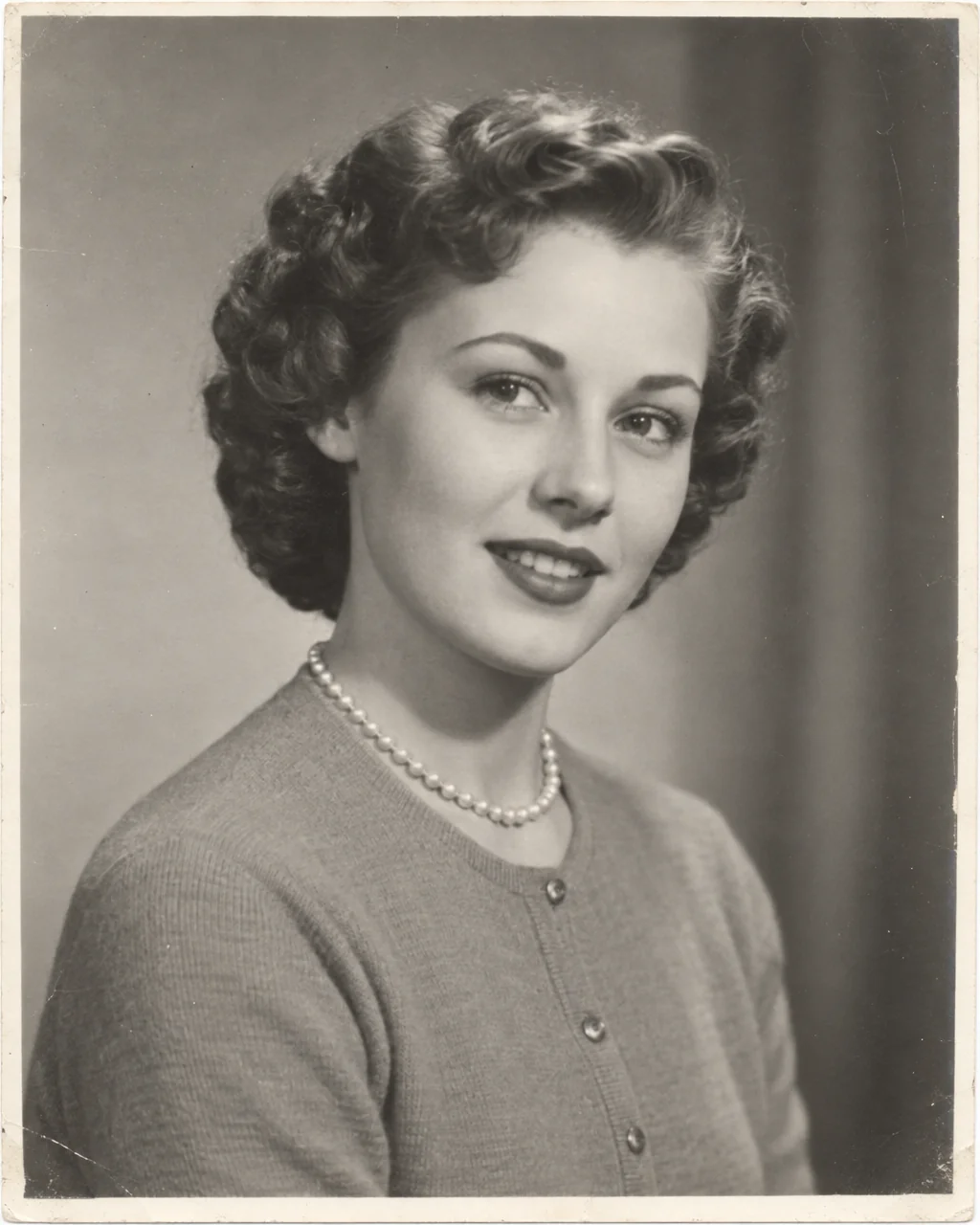
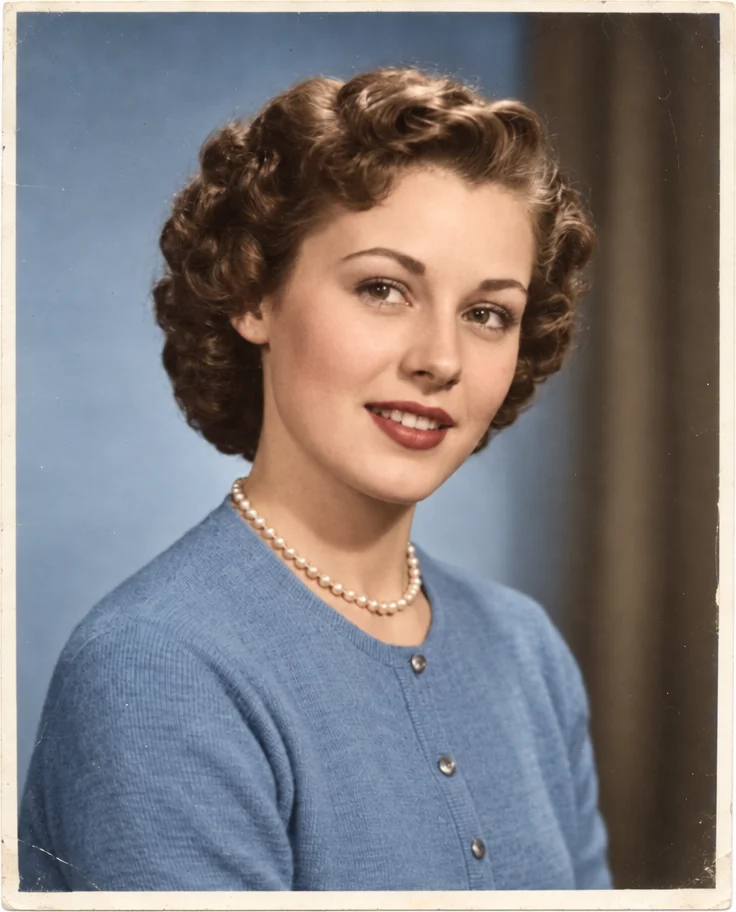
Colorize a black-and-white photo with realistic, historically plausible color: natural skin tones, believable clothing and surroundings, and every detail, grain and face unchanged.
4 free credits — one Standard run of any tool. No card needed.
What you'll choose
- Photos you upload: Black-and-white photo
Cost per result
- StandardQuick results for everyday use4cr
- ProFiner skin, fabric and surface detail12cr
- MaxThe most detail, for large prints44cr
- Edit it with words, or send it into any other tool
- Standard, Pro and Max quality
- Saved to Your photos, downloadable full size
- Print-size upscales and short videos
How it works
- 01
Upload a black-and-white scan or a clear photo of the print.
- 02
Shoot at Standard, or Pro and Max for portraits and large prints.
- 03
Compare with the original, then download or adjust a specific color with AI Photo Editor.
Black-and-white photos in believable, period-true color — grain and detail kept
A black-and-white photograph is a record with the color removed. Colorize puts it back with judgment: natural skin tones for each person, believable colors for clothing, cars, buildings and landscape, and a palette appropriate to the era — muted and warm for a 1940s street, brighter for a 1970s snapshot. Every detail, the grain and the faces are kept exactly as they are; only color is added. The result looks like the photo was taken in color, not painted afterwards.
It works on studio portraits, family snapshots, wedding photos, school pictures, street scenes and landscapes, from scans or from phone photos of prints. Faded or damaged originals benefit from Photo Restoration first, so the Studio colors a clean image. Where a historical color is known — a uniform, a family car — AI Photo Editor can adjust it afterwards from a description. The output keeps the aspect ratio of the original.
A Standard run costs 4 credits and is ready in seconds; Pro and Max quality handle skin and fabric transitions with more nuance, which shows in portraits. Colorize is the middle step of a typical family-archive chain — restore, colorize, upscale — and a moving way to meet a grandparent in the colors they actually lived in. Compare against the monochrome original with one tap before you download.
Good to know
Works well with
 from 4 credits
Photo Restoration
Scratches, creases, stains and fading repaired — the original look, respected
- Example coming soonfrom 3 credits
Image Upscaler
Enlarge any photo to 4, 8, 16 or 32 megapixels for prints and screens
 from 4 credits
AI Photo Editor
Edit any photo with a sentence — the tool for everything without its own button
 from 4 credits
Decade Portrait
You in the 1920s, 1950s, 1980s or any decade between — hair, clothes, film