Practical
The wedding photo, repaired
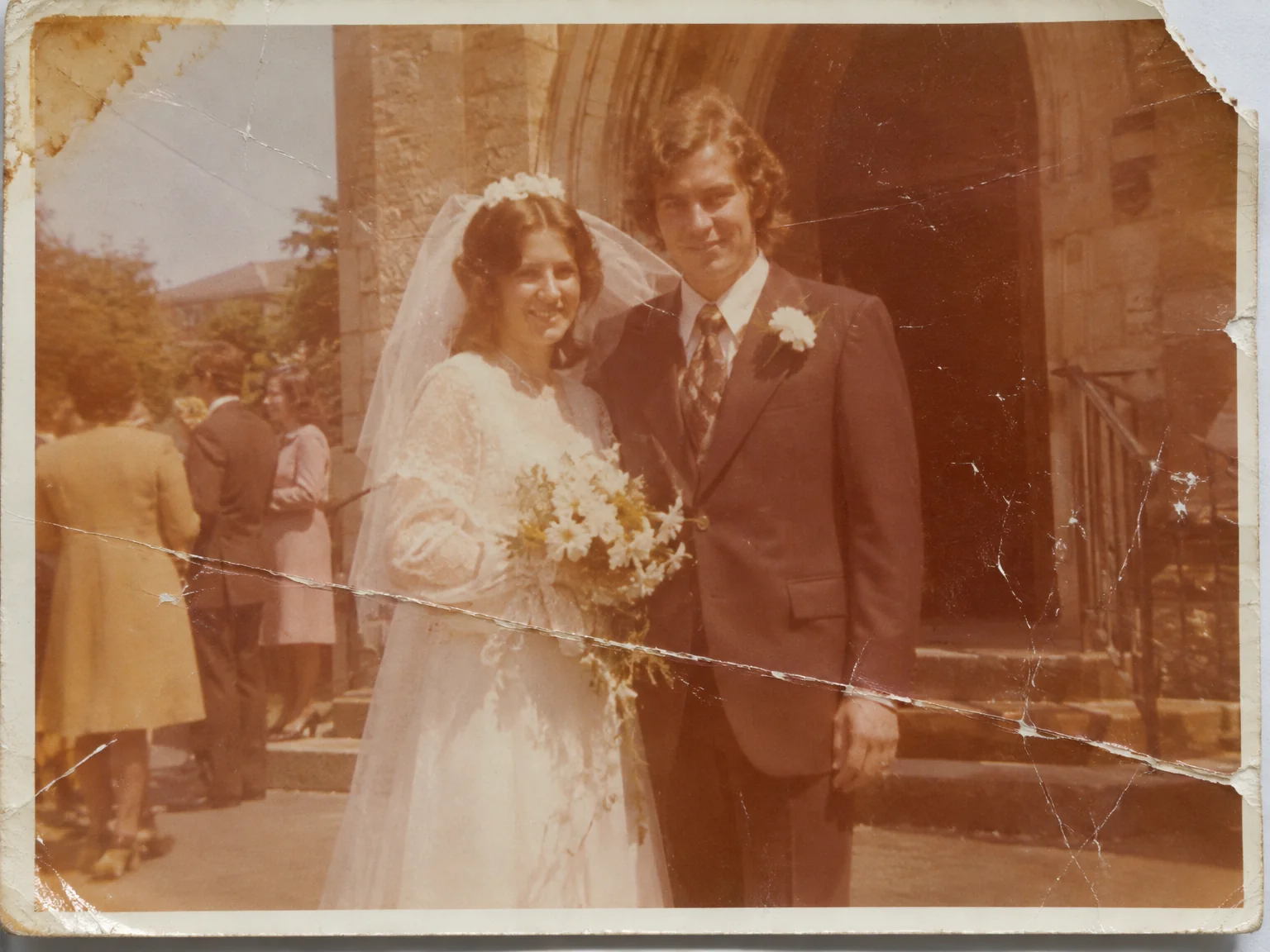
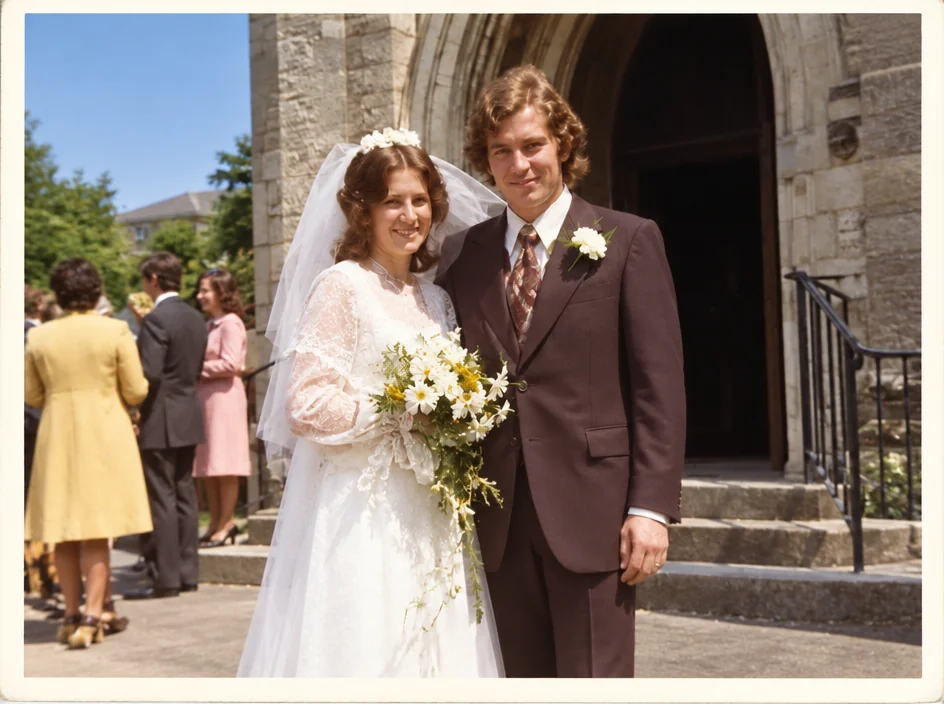
The wedding print has been on the wall for fifty years and shows it: faded to orange, creased across the dress, a water mark on the corner. Restoring a wedding photo in the studio repairs the damage and the fading while keeping the couple exactly as they were on the day — the same faces, the same lace, the same grain.
You want a clean copy for the anniversary, the memorial or a new photo, from a phone photo of the print or a scan. Instead of a booth or a lab, restored wedding photos start from an ordinary photo and are rebuilt to what matters: correct crop, clean background, even light, damage repaired. Upscale restored wedding photos once if a form or a photo asks for a larger file, and keep the original photo in case a different format is needed later.
4 free credits — one Standard run of any tool. No card needed.
Made for when
- The only print of the wedding is creased through the dress
- The golden anniversary needs a clean copy for the invitations
- A memorial board wants the wedding photo and it has faded to sepia
- The negatives are long gone
Step by step
- 01
Start with Photo Restoration
Damage goes; the character of the print and the people in it stay.
Photo Restoration - 02
Colorize the repaired photo if it is monochrome
Natural skin tones and believable clothing colors, chosen to suit the era.
Colorize Photo - 03
Enlarge the restored photo for framing
Restored wedding photos deserve a photo; 8 or 16 MP makes that possible.
Image Upscaler